Comments on Hugo with Giscus
Adding comments to a Hugo blog is simple if you are using the build in Disqus template or themes like PaperMod / Blowfish.
However, if you’re looking for a lighter alternative, you can use GitHub Discussions as your comment system instead. This is where Giscus comes in really handy and with a simple set up too.
Prerequisites
- If you don’t have a GitHub account already, create one; you will need to set up a new repo for the comments. Ensure that the Discussions feature is enabled for that repo.
- Once you have a repo set up, you will need to install the Giscus app. Clicking this link will start the setup for you.
Setup
Create a comments partial in your theme
- create the file:
layouts/_partials/comments.html
- create the file:
Add below code to it
<section class="comments">
    <script
        src="https://giscus.app/client.js"
        data-repo="WNER/REPO"
        data-repo-id="REPO_ID"
        data-category="CATEGORY_NAME"
        data-category-id="CATEGORY_ID"
        data-mapping="title"
        data-strict="0"
        data-reactions-enabled="0"
        data-emit-metadata="0"
        data-input-position="top"
        data-theme="transparent_dark"
        data-lang="en"
        data-loading="lazy"
        crossorigin="anonymous"
        async>
    </script>
</section>
Replace
OWNER/REPO
REPO_ID
CATEGORY_NAME
CATEGORY_ID
you can get these values from giscus.app
Include it in your post layout
typically:
layouts/single.htmlorlayouts/post.htmlExample placement (after content):
{{ .Content }}

{{ if .Params.comments | default true }}
    {{ partial "comments.html" . }}
{{ end }}
Disable comments on selected pages
---
title: "Contact"
comments: false
---
Result
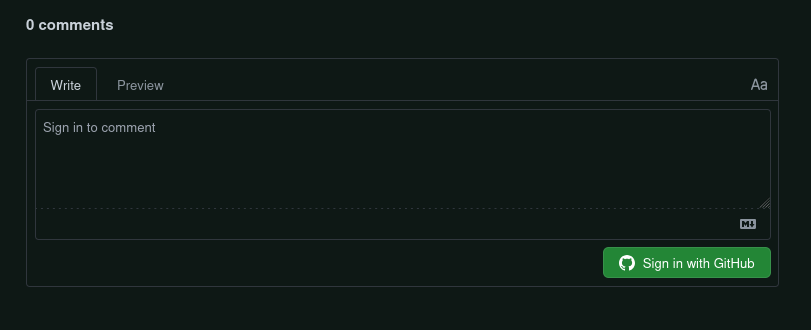
That’s it. Now run your website and see for yourself how you have comments on your site backed by GitHub Discussions, like mine!